Yamoxy app
Last update: 2026.11.26
Formerly KidSafe. Yamoxy blends yamori (家守), Japanese for “guardian of the house” (also the name of the gecko), and proxy, the relay your browsing goes through.

Install
- Download Yamoxy.dmg and open it.
- Drag Yamoxy onto Applications, then open it. macOS asks you to confirm: click Open. Yamoxy is signed and notarized by Apple.
- A gecko appears in the menu bar. Adult content is blocked right away.
Nothing else to install: Privoxy is included, and Yamoxy updates itself. With Homebrew:
brew tap lls-hcr/tap
brew trust lls-hcr/tap
brew install --cask yamoxy
Why this project
A few years ago, when my daughter was younger, I built a web filter to block unwanted content, using Privoxy, Squid, SquidGuard and other resources found online (see my web filter proxy notes). I spent a lot of time on it, for a fairly effective result. There were many apps on the market, sometimes free, more often paid, and not always effective. But above all, I wanted to build something myself.
I always wanted to create a real application, but I did not have the programming skills. Today, thanks to AI tools, it has become possible to make a complete application without knowing how to code, and this changes a lot. So I started this small project. I do not write the code myself: I ask the AI to do it for me. For this project, I use Claude, from Anthropic.
How it works
Yamoxy is a small app that lives in the macOS menu bar. It includes its own copy of Privoxy, which runs locally on the Mac.
Privoxy is a free, open-source web proxy. All web traffic of the Mac goes through it, and it decides, site by site, what is allowed and what is blocked. It has existed for more than twenty years and is maintained by volunteers.
Yamoxy does the rest: it downloads the block lists you choose, turns them into Privoxy rules, tests the new configuration and goes back to the previous one if something fails.
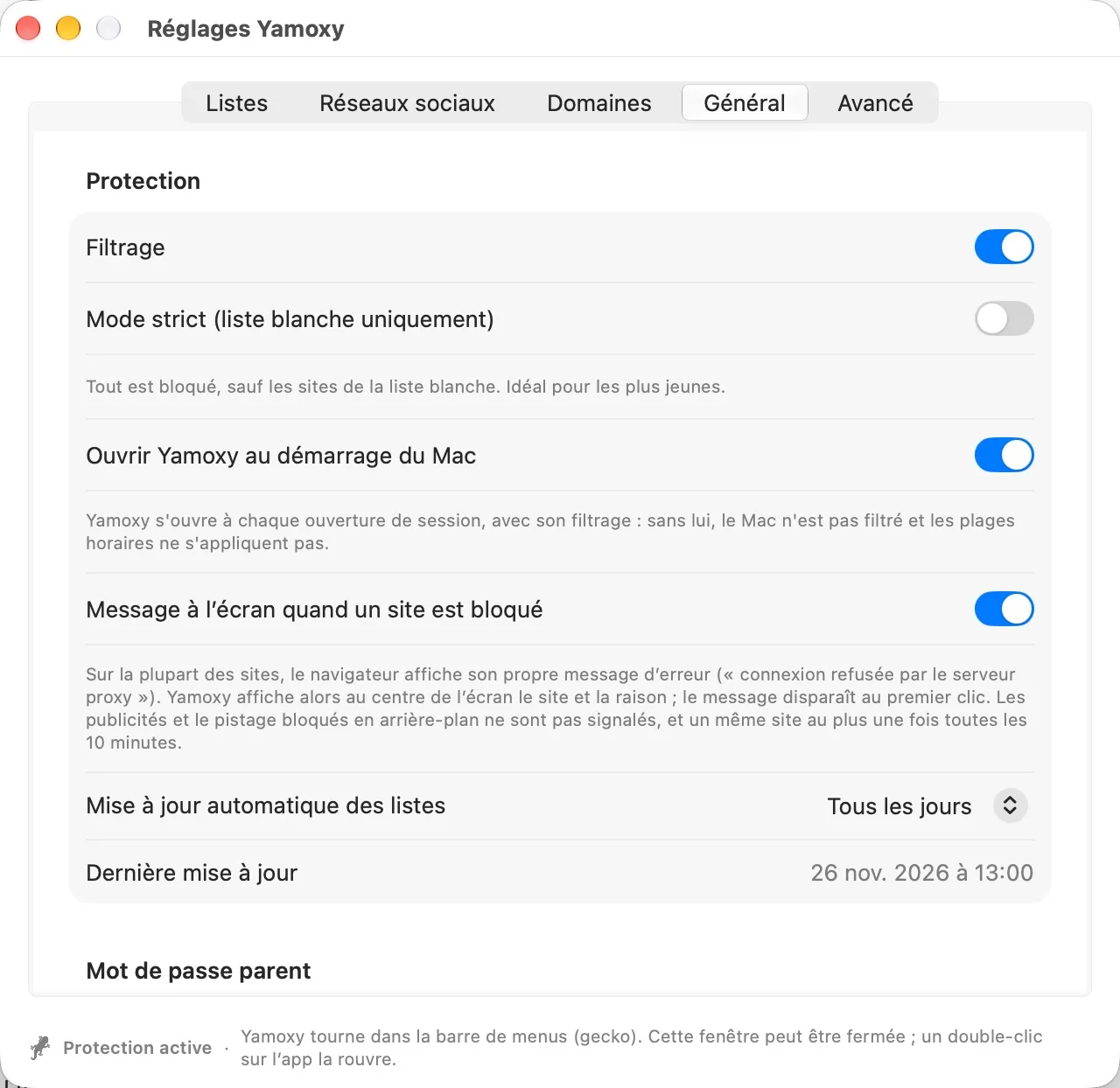
From the menu bar you can pause the filtering without deleting anything, update the lists, and open the monitor or the user guide. An optional parent password protects every change, the pause and quitting the app.
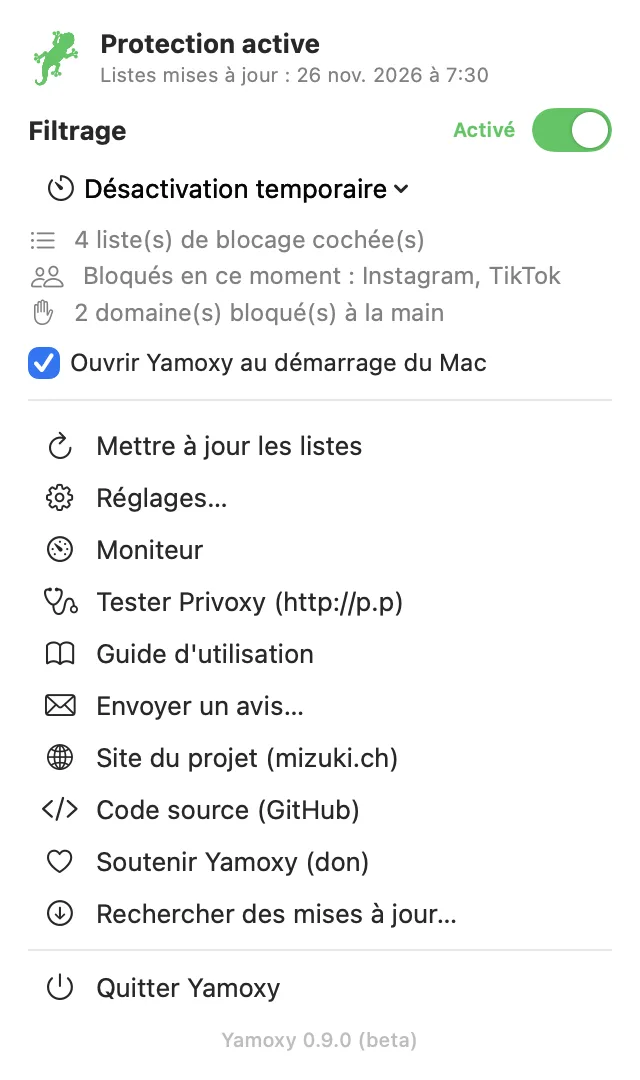
Available in English and French. The app follows the language of the Mac, and you can change it in the settings. The screenshots show the French version.
Checking that it works
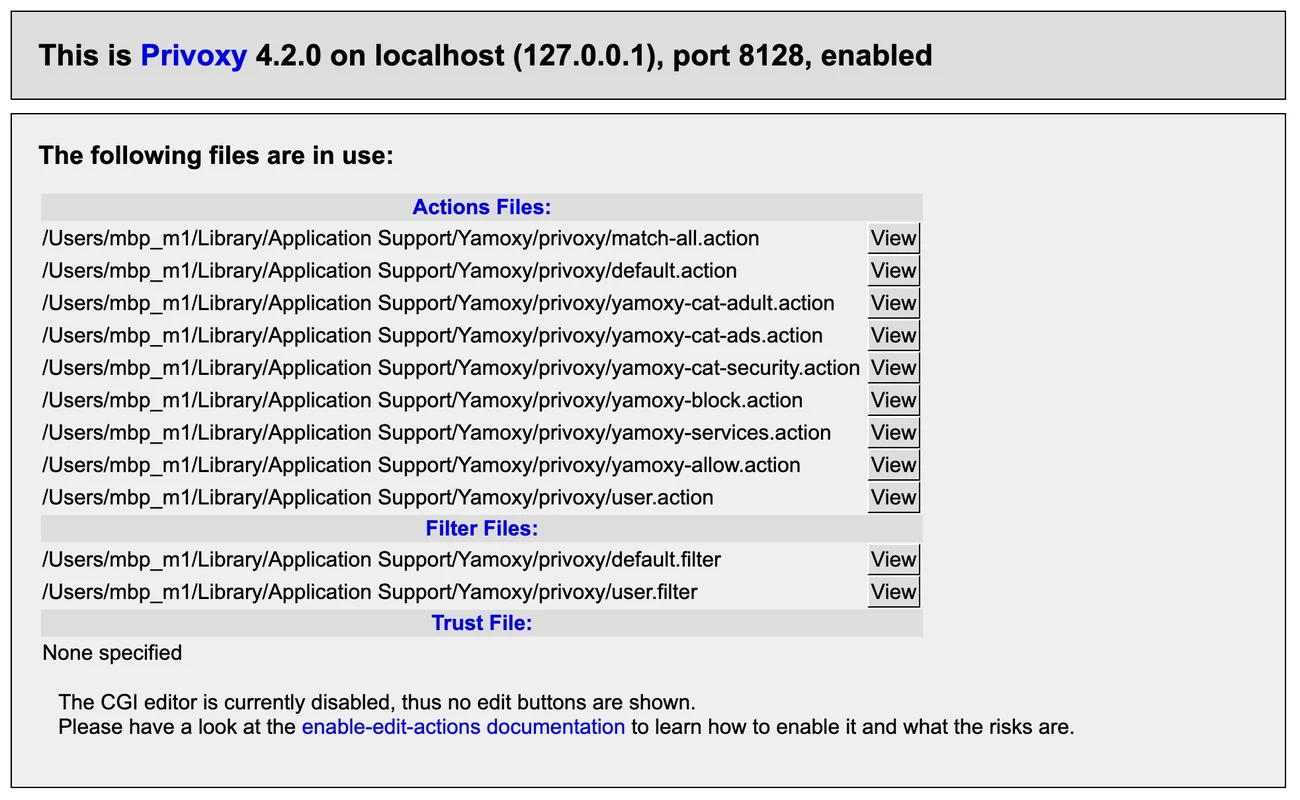
In the Yamoxy menu, Test Privoxy opens the page http://p.p. This page is shown by Privoxy itself, not by a website. If it says “This is Privoxy … enabled”, the filter is running and the web traffic of the Mac goes through it.
From this page, View & change the current configuration lists the files Yamoxy has created: one file per list category, plus your blocked domains and your allowlist.
Block lists
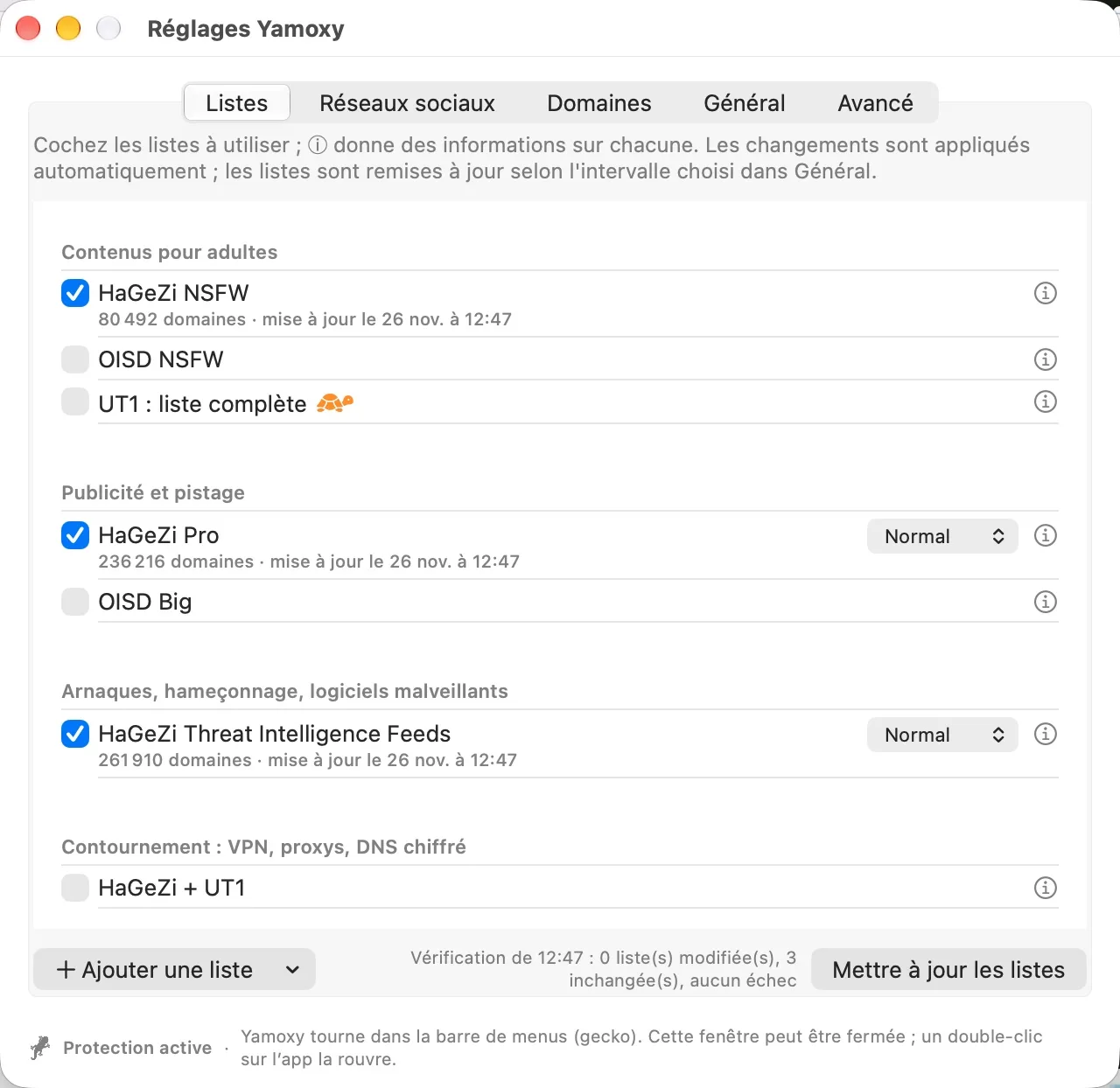
The app comes with a catalogue of free blocklists, maintained by the open-source community. The main lists appear right away in the Lists window, sorted by topic. At first, only HaGeZi NSFW (adult content) is ticked. Every list, including this one, can be turned on or off with one click.
| In the Lists window | Lists | License |
|---|---|---|
| Adult content | HaGeZi NSFW, OISD NSFW, full UT1 list | GPL-3.0, CC BY-SA 4.0 |
| Ads and tracking | HaGeZi Pro, OISD Big | GPL-3.0 |
| Scams and malware | HaGeZi Threat Intelligence Feeds | GPL-3.0 |
| Bypass: VPN, proxies, encrypted DNS | HaGeZi + UT1 | GPL-3.0, CC BY-SA 4.0 |
Other lists wait in the library, behind the Add a list button. Once added, they appear in the window too.
| In the library (Add a list) | Lists | License |
|---|---|---|
| More topics | UT1: gambling, violence, drugs, dating, social networks, online games, illegal downloads, URL shorteners. HaGeZi: gambling | CC BY-SA 4.0, GPL-3.0 |
| Other free lists: ads and tracking | EasyList, EasyPrivacy, Liste FR, AdGuard DNS filter | GPL-3.0, CC BY-SA 3.0 |
| Other free lists: StevenBlack | Unified hosts (ads and malware), adult content, gambling | MIT |
| Other free lists: telemetry | HaGeZi: Apple, Microsoft (Office, Windows) | GPL-3.0 |
HaGeZi Pro and HaGeZi Threat Intelligence Feeds come in three levels: Light, Normal or Strong. The higher the level, the more the list blocks, with a slightly higher risk of blocking a good site by mistake.
Each list has an ⓘ sheet: who maintains it, what it blocks, its size, how often it is updated, how often it blocks by mistake, and its license. The user guide also helps you choose: HaGeZi is a good choice for every topic, OISD is known for not breaking sites, and UT1 is the only one for topics like violence or drugs.
Some lists are very large, like the full UT1 adult list (about 4.6 million domains, around 800 MB of memory). The app marks them with a 🐢 and warns you before turning them on.
You can also manage your own lists:
- add a list from the library, from a web address, or from a file on the Mac;
- remove a list you added;
- turn on or off any list, without deleting it.
The lists are updated automatically, from every hour to once a week (or never).
Blocking and allowing sites
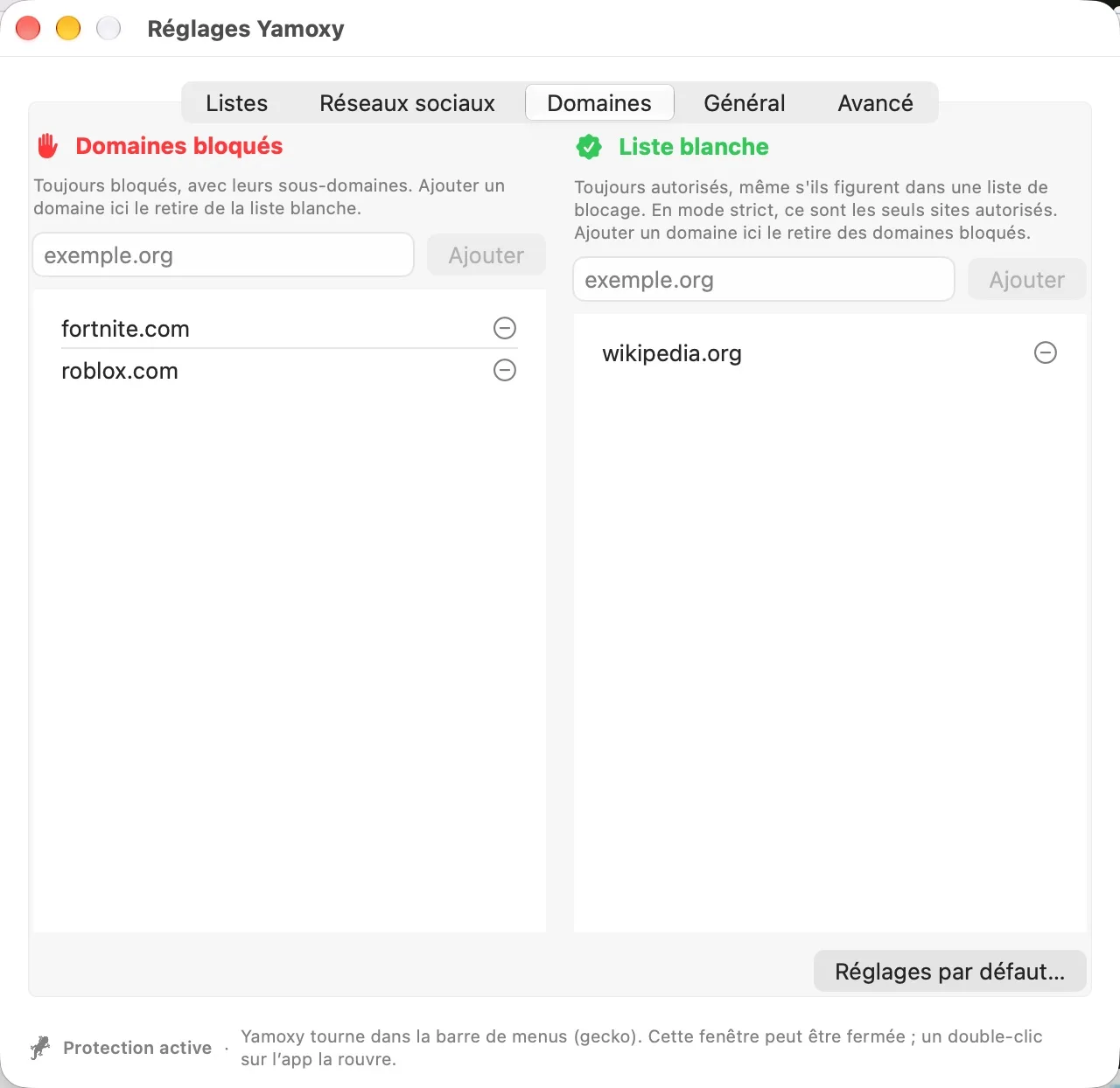
By hand, for example a game or a site that is not on any list.
With the allowlist, when a list blocks a site you want to keep.
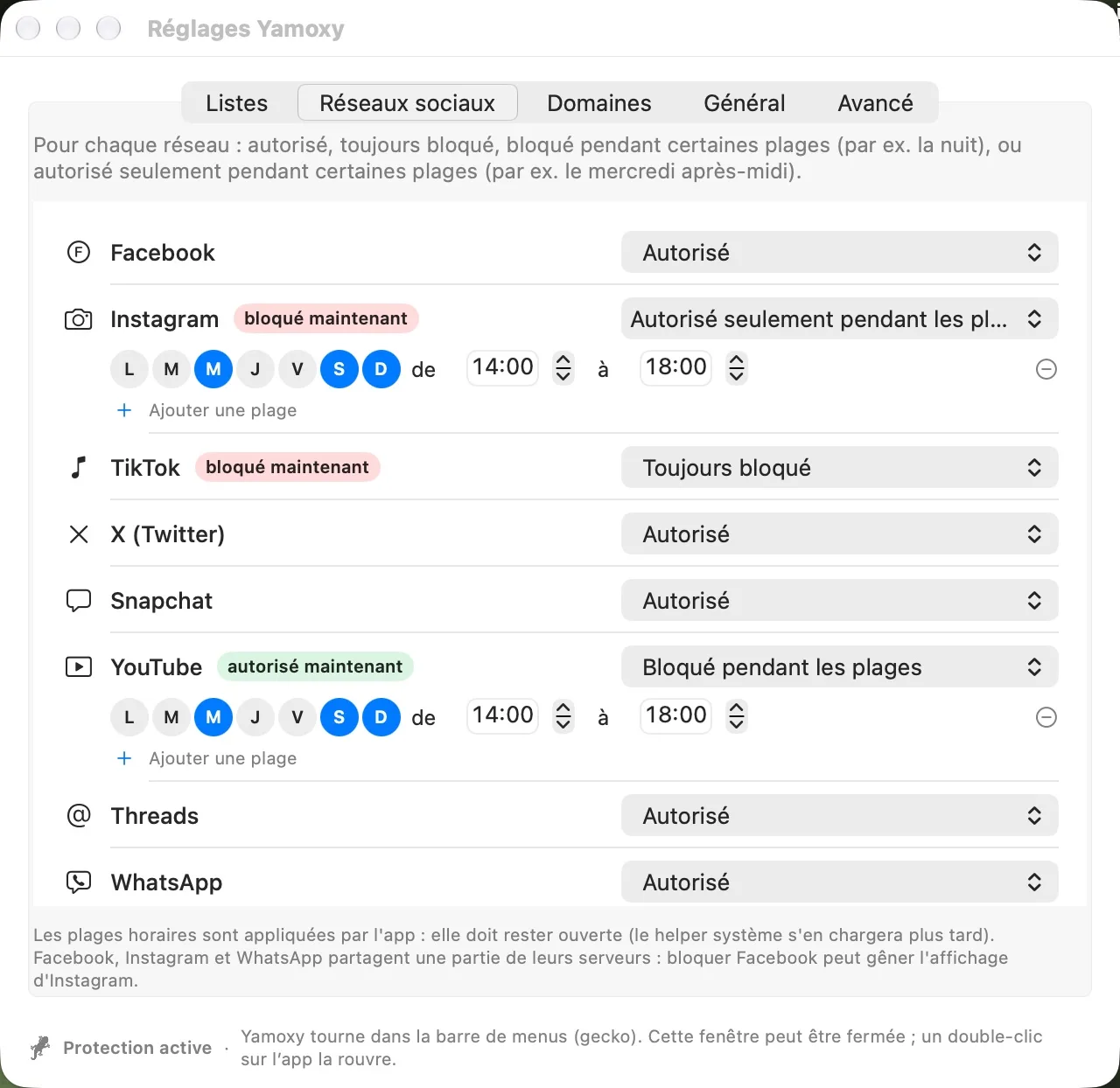
Facebook, Instagram, TikTok, YouTube, Discord… Allowed, always blocked, or blocked at certain times.
Everything is blocked except the allowlist. For young children.
Monitor and statistics
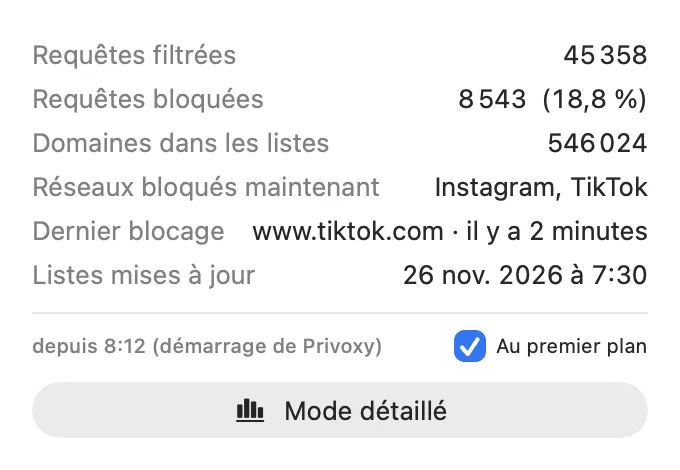
From the gecko menu, Monitor opens a small floating window with live counters: requests filtered, requests blocked and their percentage, the number of domains on the lists, the social networks blocked right now and the last blocked site.
The window can stay on top of the other windows, so you can follow what happens while the Mac is in use.
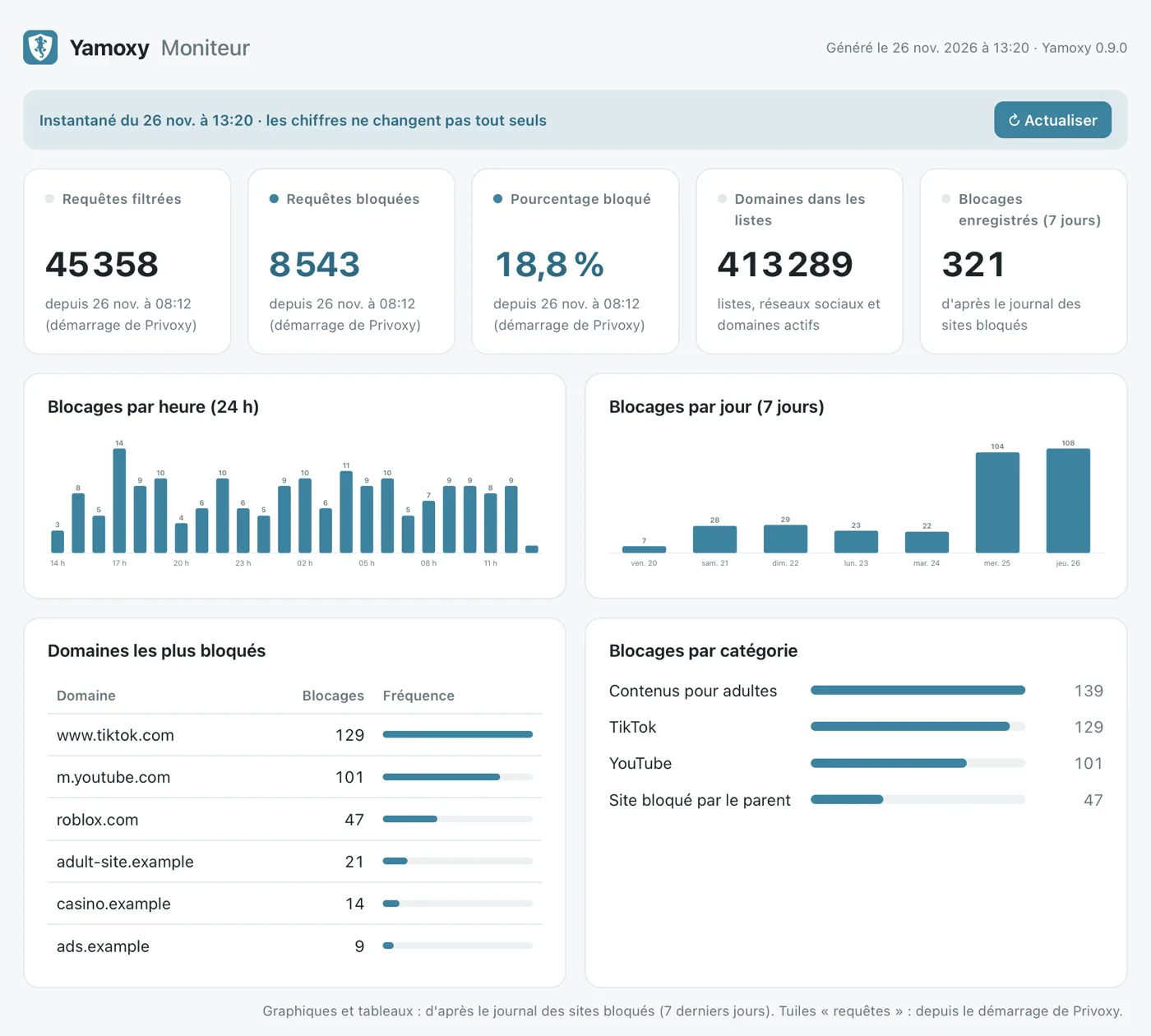
A detailed view opens a local page with charts: blocks per hour and per day, the most blocked domains and blocks by category. Everything stays on the Mac, nothing is sent anywhere, and nothing runs while the monitor is closed.
Advanced settings
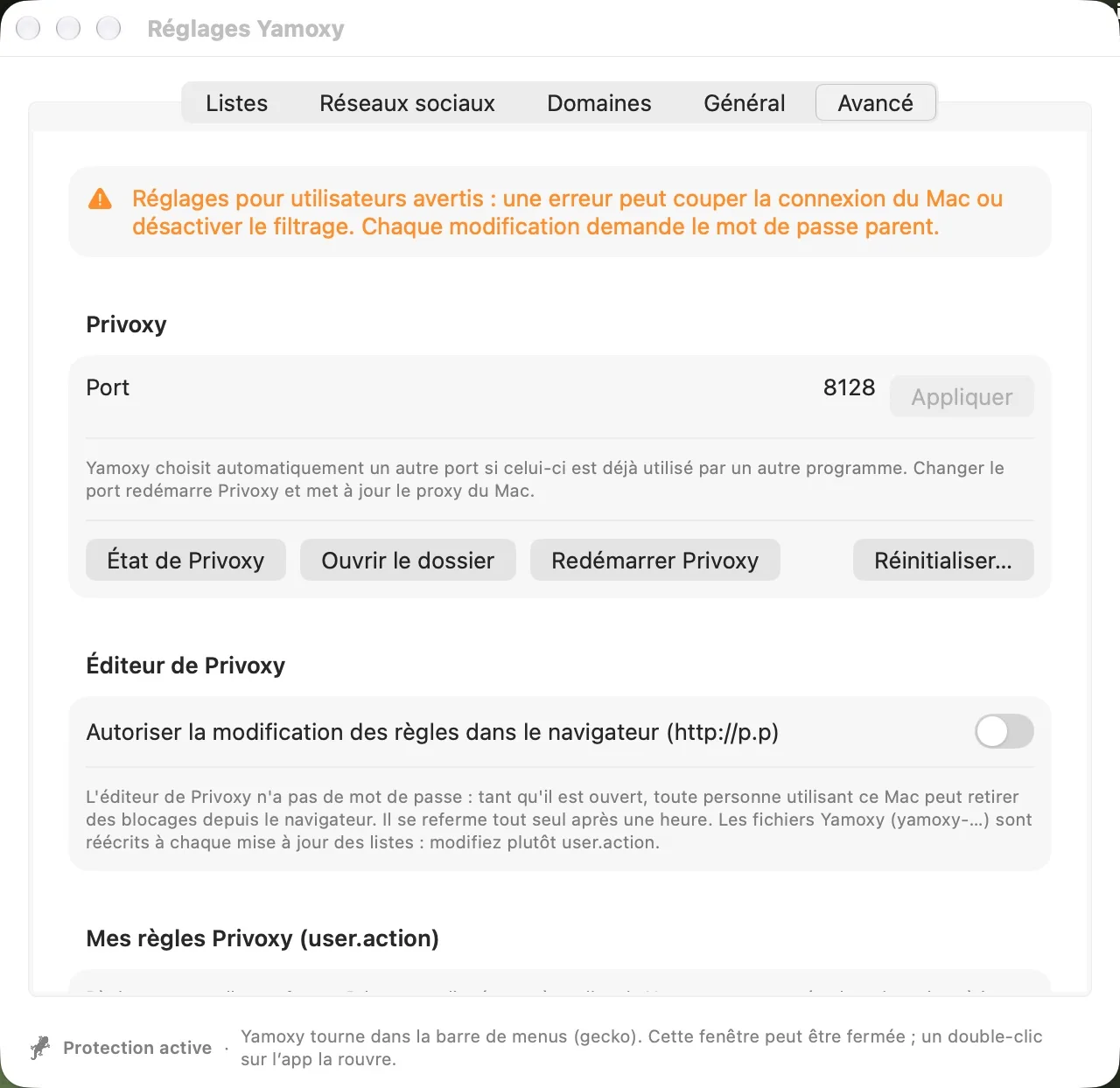
For experienced users, an Advanced tab gives access to Privoxy itself. A warning reminds you that a mistake can cut the connection of the Mac, and every change asks for the parent password.
- Port: chosen automatically if 8128 is already used, or set by hand;
- Privoxy editor in the browser (http://p.p), which closes by itself after one hour;
- Your own Privoxy rules (user.action), checked before they are applied;
- a log of blocked sites, domains that skip the filter, and buttons to restart or reset Privoxy.
If Privoxy stops, Yamoxy restarts it, or removes the proxy if it cannot. The Mac never loses its connection.
User guide
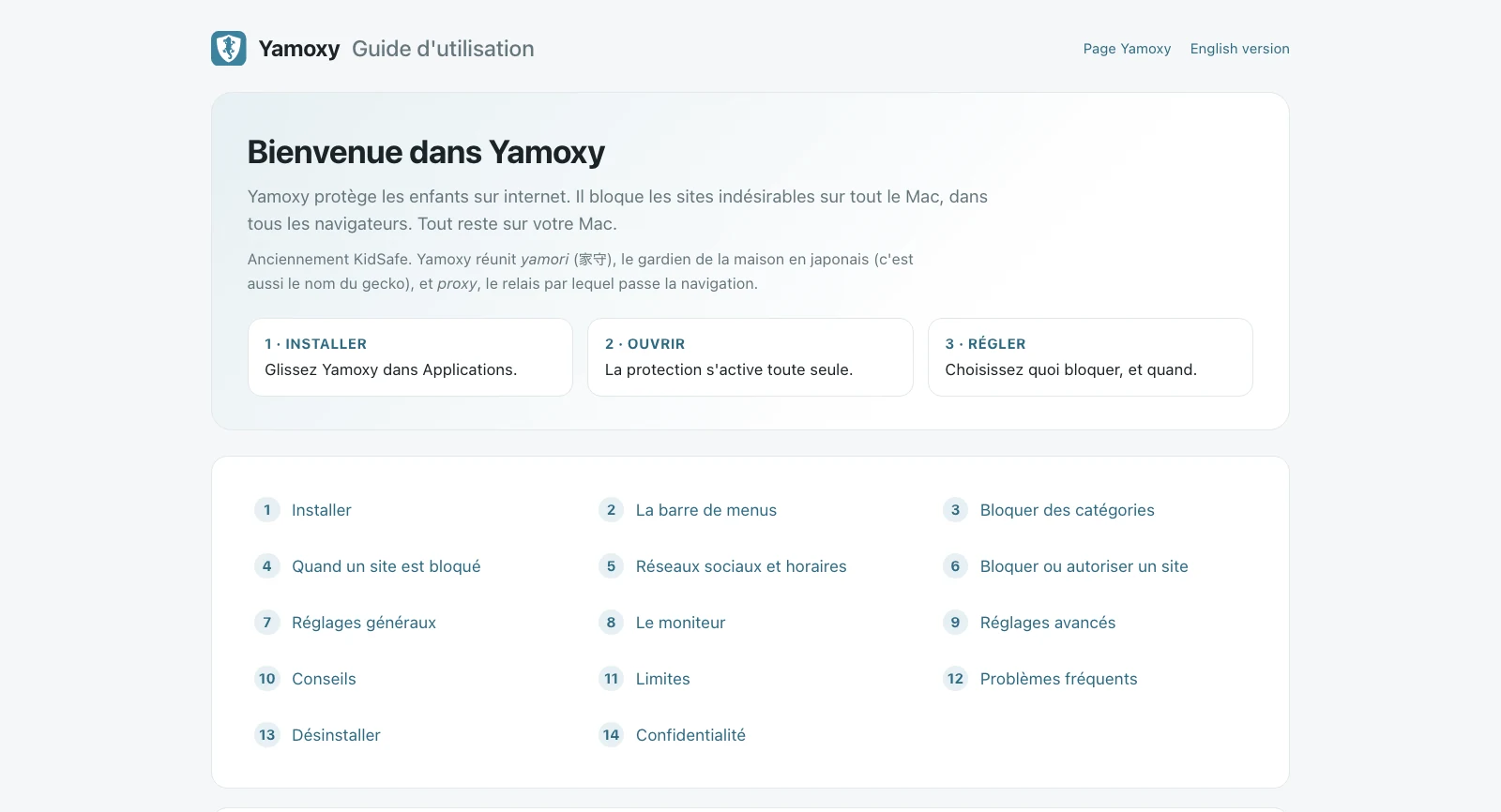
The app comes with a complete user guide, in English and French. It opens from the app and works without internet. In fourteen short chapters, it explains how to install Yamoxy, block categories and sites, set time slots for social networks, read the monitor, solve common problems and uninstall the app.
Privacy and limits
- No account, no ads, no tracking. No personal data leaves the Mac. Yamoxy only connects to the internet to download the block lists and to check GitHub for new versions.
- Yamoxy filters by domain name: it never reads the content of pages.
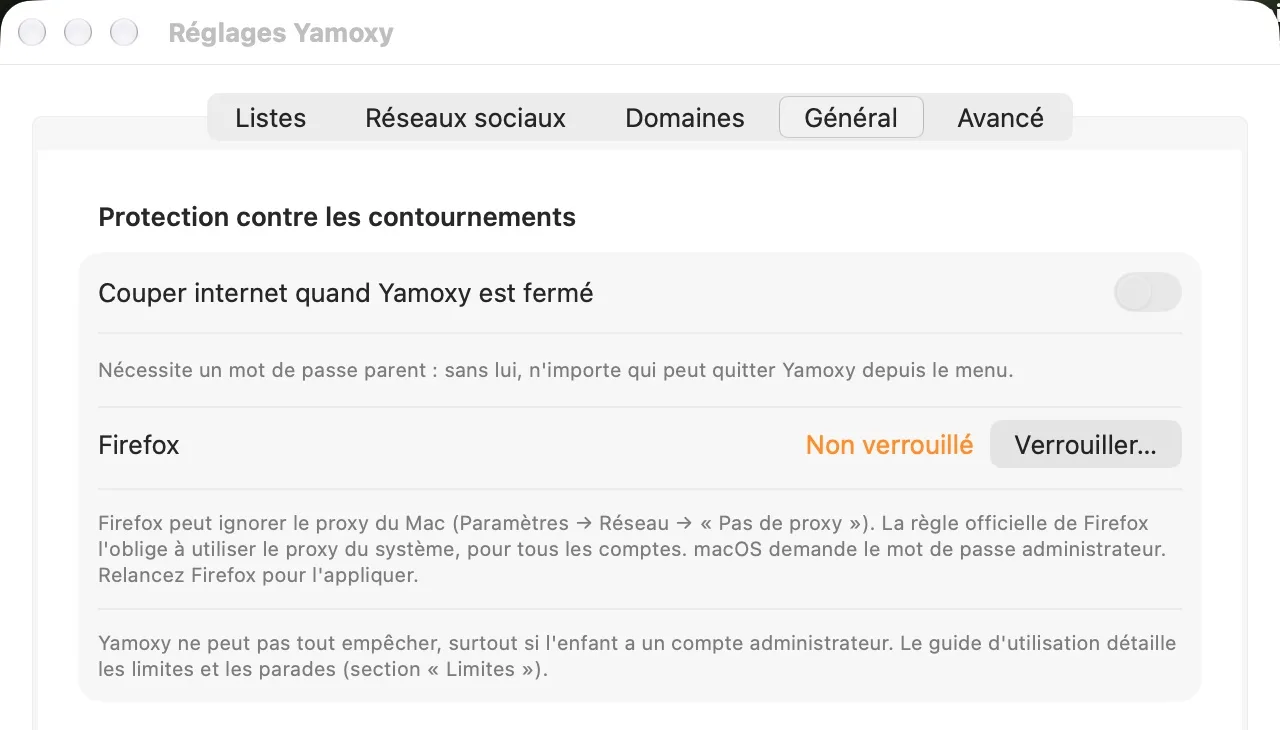
- A child with an administrator account can turn Yamoxy off. Give children a standard account and set a parent password.
- Yamoxy protects the Mac only, not phones or tablets. No filter is perfect: talking with your children remains essential.
Uninstall
In the app: Settings → General → Uninstall Yamoxy…, or double-click Uninstall Yamoxy in the .dmg. Privoxy and the proxy setting are removed and the Mac is back to its original state. With Homebrew: brew uninstall --zap --cask yamoxy.
A free app
This project takes me time. If you like it, you can support it with a small donation. But Yamoxy is built on open-source tools, like Privoxy and the block lists, developed and shared for free by real developers. For this reason, this app will always stay free.
Yamoxy is free software, released under the GPL v3. Questions, bugs or ideas: use Send Feedback… in the Yamoxy menu, or open an issue on GitHub.