KidSafe app
Last update: 2026.11.21
Why this project
A few years ago, when my daughter was younger, I built a web filter to block unwanted content, using Privoxy, Squid, SquidGuard and other resources found online (see my web filter proxy notes). I spent a lot of time on it, for a fairly effective result. There were many apps on the market, sometimes free, more often paid, and not always effective. But above all, I wanted to build something myself.
I always wanted to create a real application, but I did not have the programming skills. Today, thanks to AI tools, it has become possible to make a complete application without knowing how to code, and this changes a lot. So I started this small project. I do not write the code myself: I ask the AI to do it for me. For this project, I use Claude, from Anthropic.
How it works
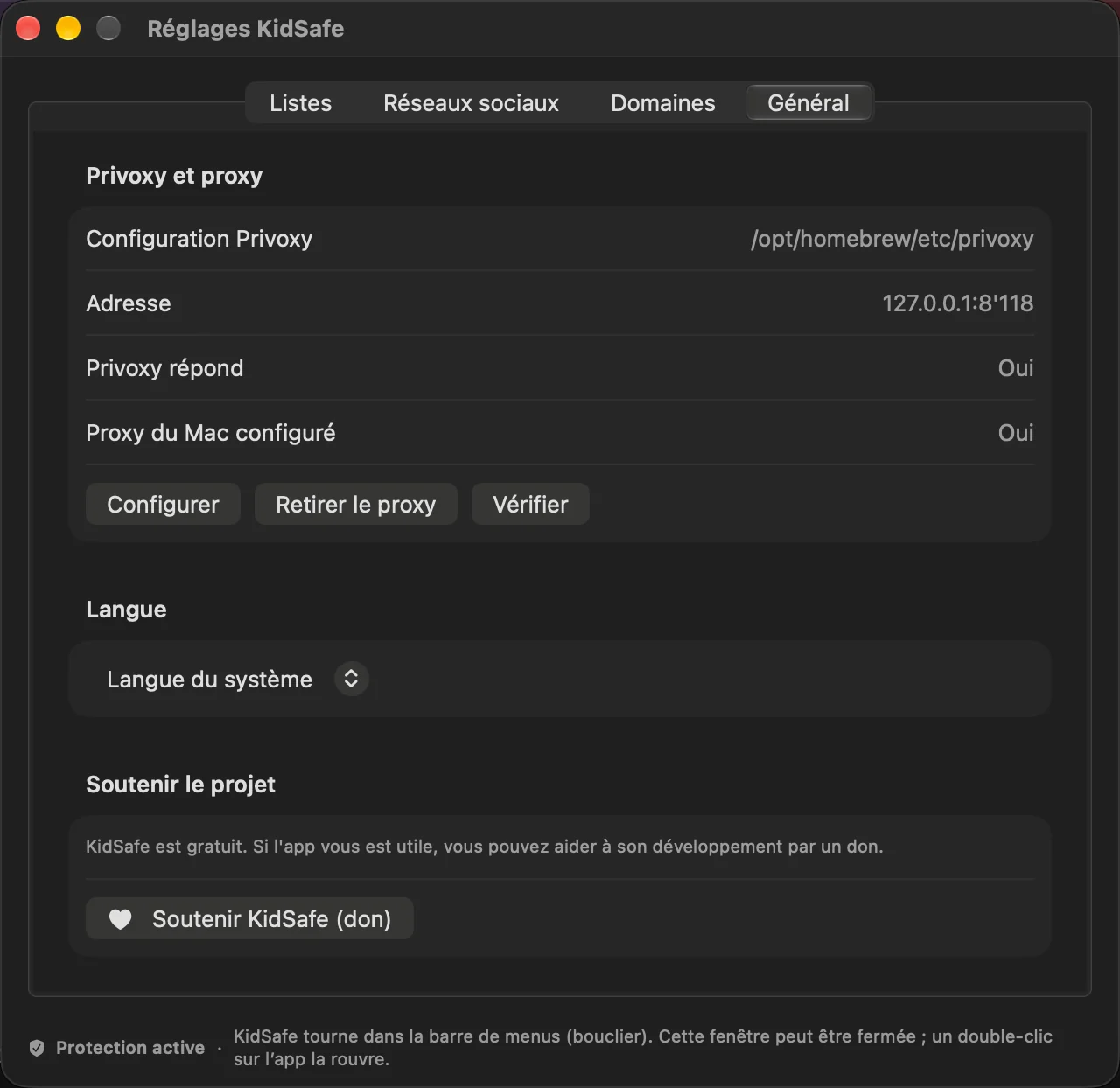
KidSafe is a small app that lives in the macOS menu bar. It includes its own copy of Privoxy, which runs locally on the Mac.
Privoxy is a free, open-source web proxy. All web traffic of the Mac goes through it, and it decides, site by site, what is allowed and what is blocked. It has existed for more than twenty years and is maintained by volunteers.
KidSafe does the rest: it downloads the block lists you choose, turns them into Privoxy rules, tests the new configuration and goes back to the previous one if something fails.
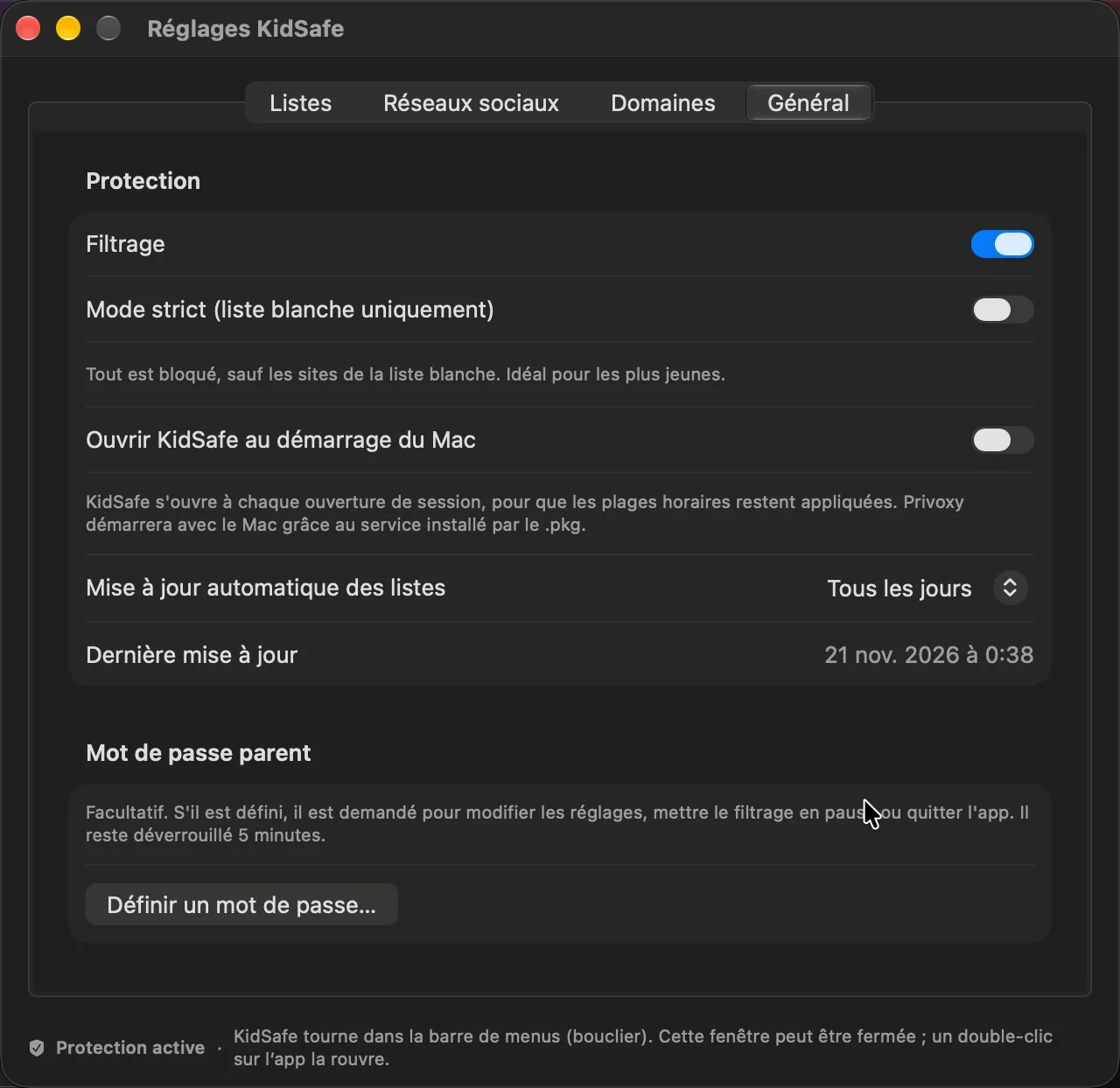
From the menu bar you can pause the filtering without deleting anything, update the lists, and open the monitor or the user guide. An optional parent password protects every change, the pause and quitting the app.
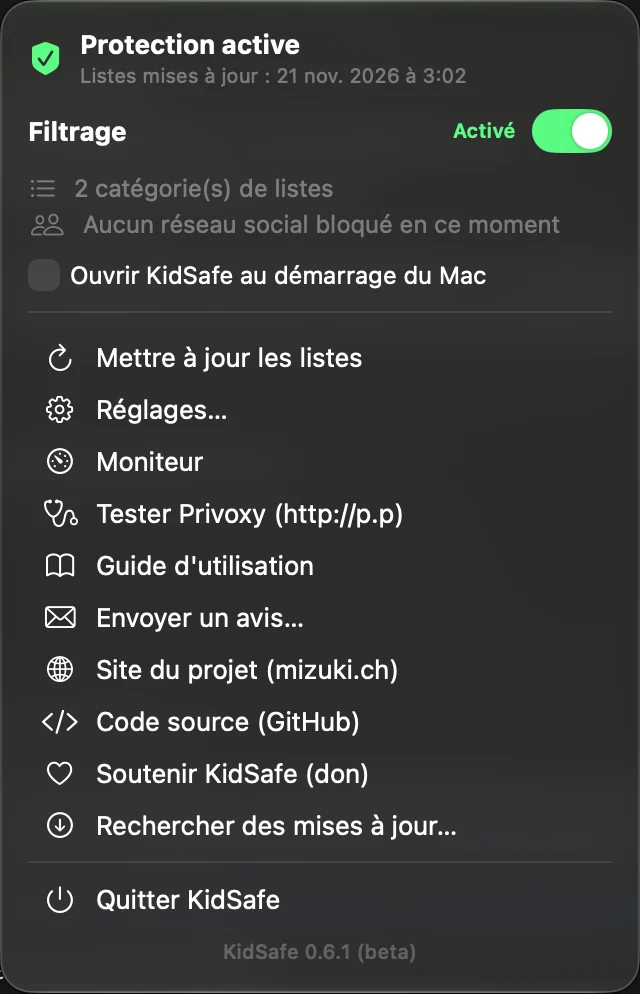
Available in English and French. The app follows the language of the Mac, and you can change it in the settings. The screenshots show the French version.
Checking that it works
In the KidSafe menu, Test Privoxy opens the page http://p.p. This page is shown by Privoxy itself, not by a website. If it says “This is Privoxy … enabled”, the filter is running and the web traffic of the Mac goes through it.
From this page, View & change the current configuration lists the files KidSafe has created: one file per list category, plus your blocked domains and your allowlist.
Block lists
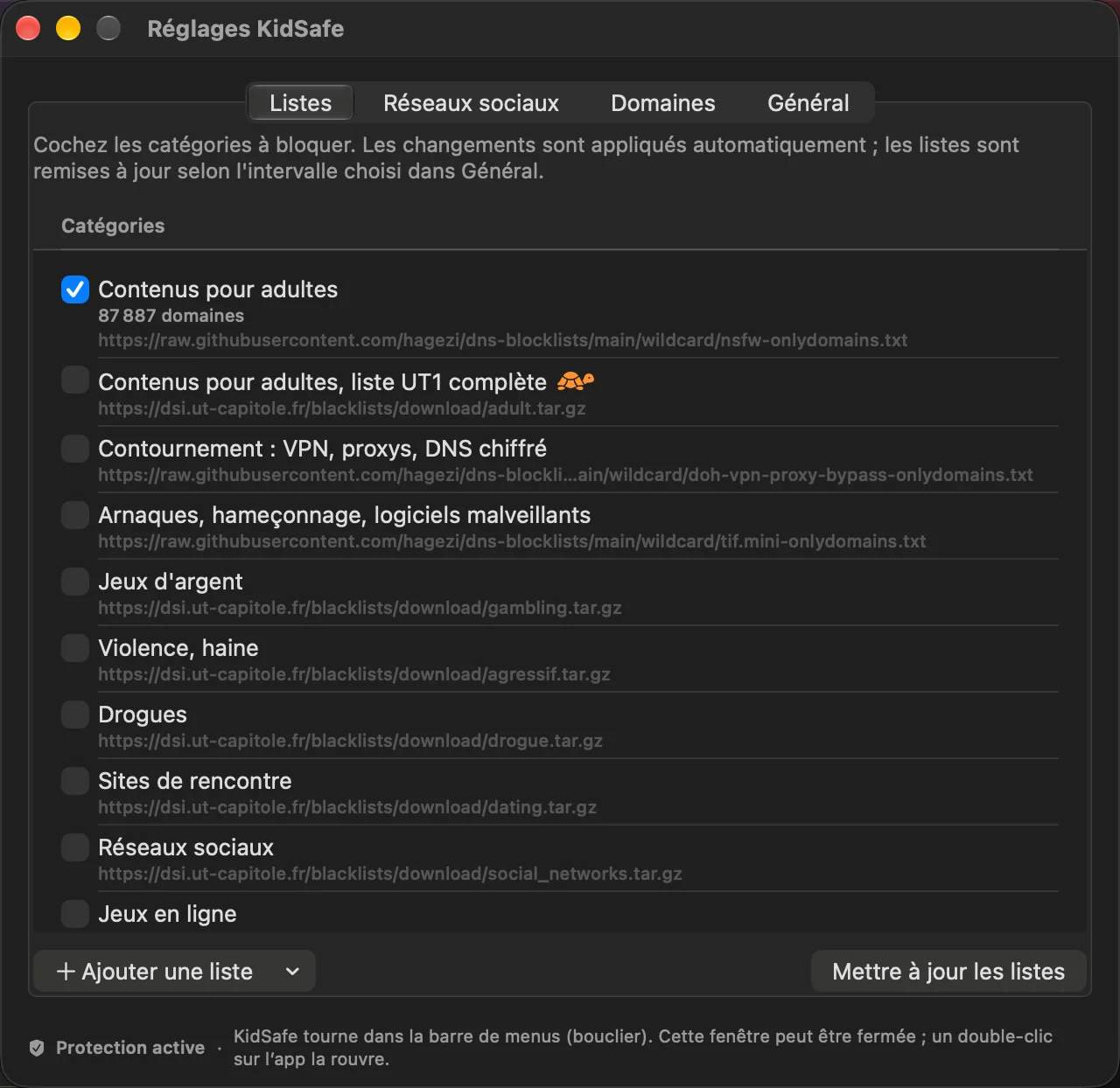
The app comes with a catalogue of categories. Each one uses free lists maintained by the open-source community. Only “Adult content” is on by default. Every other category can be turned on or off with one click.
| Category | Source | License |
|---|---|---|
| Adult content | HaGeZi NSFW | GPL-3.0 |
| Adult content, full UT1 list | UT1 (Université Toulouse Capitole) | CC BY-SA 4.0 |
| Bypass: VPN, proxies, encrypted DNS | HaGeZi, UT1 | GPL-3.0, CC BY-SA 4.0 |
| Scams, phishing, malware | HaGeZi Threat Intelligence | GPL-3.0 |
| Gambling | UT1 | CC BY-SA 4.0 |
| Violence, hate | UT1 | CC BY-SA 4.0 |
| Drugs | UT1 | CC BY-SA 4.0 |
| Dating sites | UT1 | CC BY-SA 4.0 |
| Social networks | UT1 | CC BY-SA 4.0 |
| Online games | UT1 | CC BY-SA 4.0 |
| Ads and tracking | HaGeZi | GPL-3.0 |
The full UT1 adult list is very large (about 4.6 million domains). It needs around 800 MB of memory and makes pages a little slower, so the app warns you before turning it on. The HaGeZi list is enough in most cases.
You can also manage your own lists:
- add a list from the built-in library (EasyList, EasyPrivacy, Liste FR…), from a web address, or from a file on the Mac;
- remove a list you added;
- turn on or off any category or list, without deleting it.
The lists are updated automatically, from every hour to once a week (or never).
Blocking and allowing sites
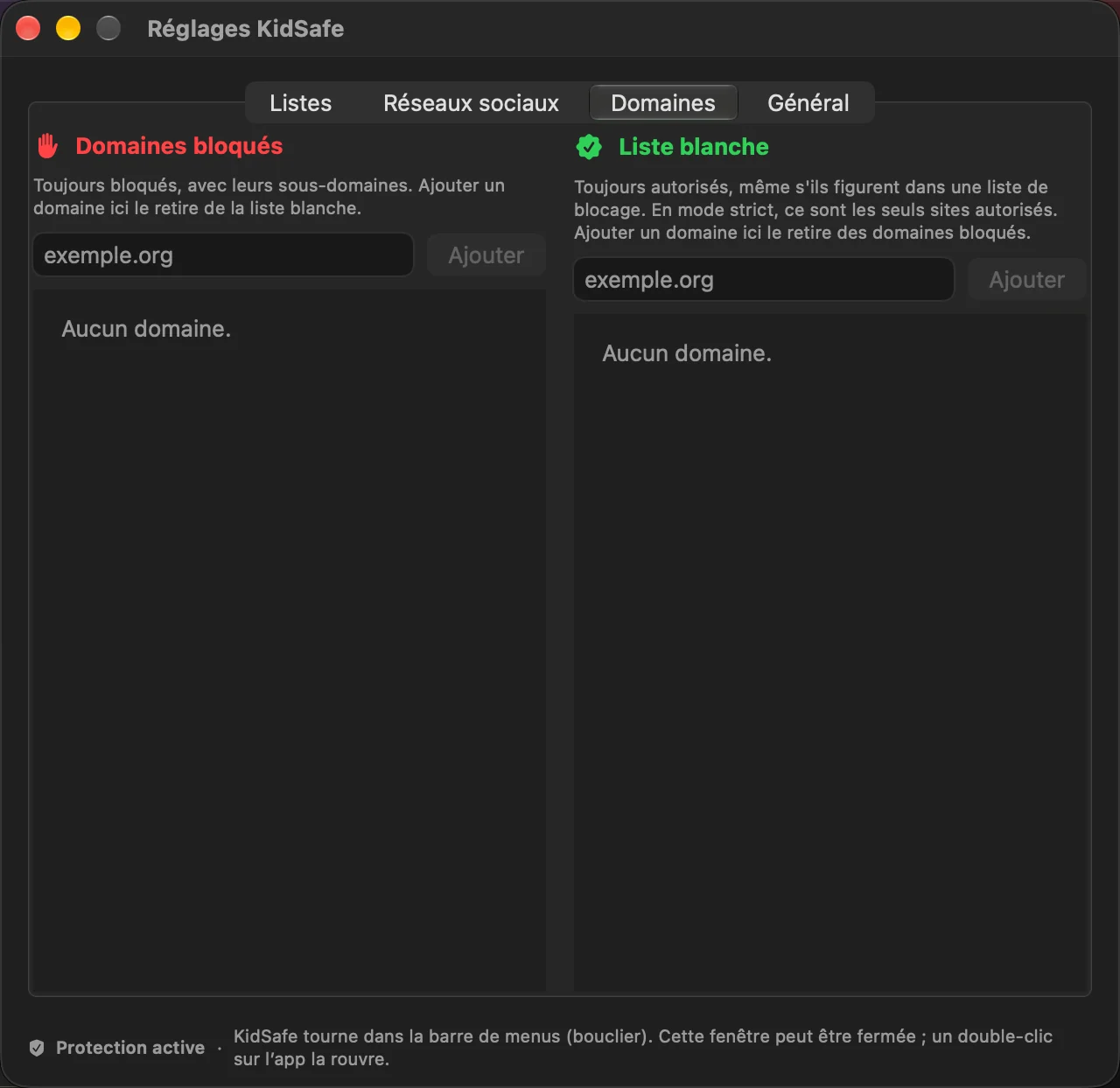
By hand, for example a game or a site that is not on any list.
With the allowlist, when a list blocks a site you want to keep.
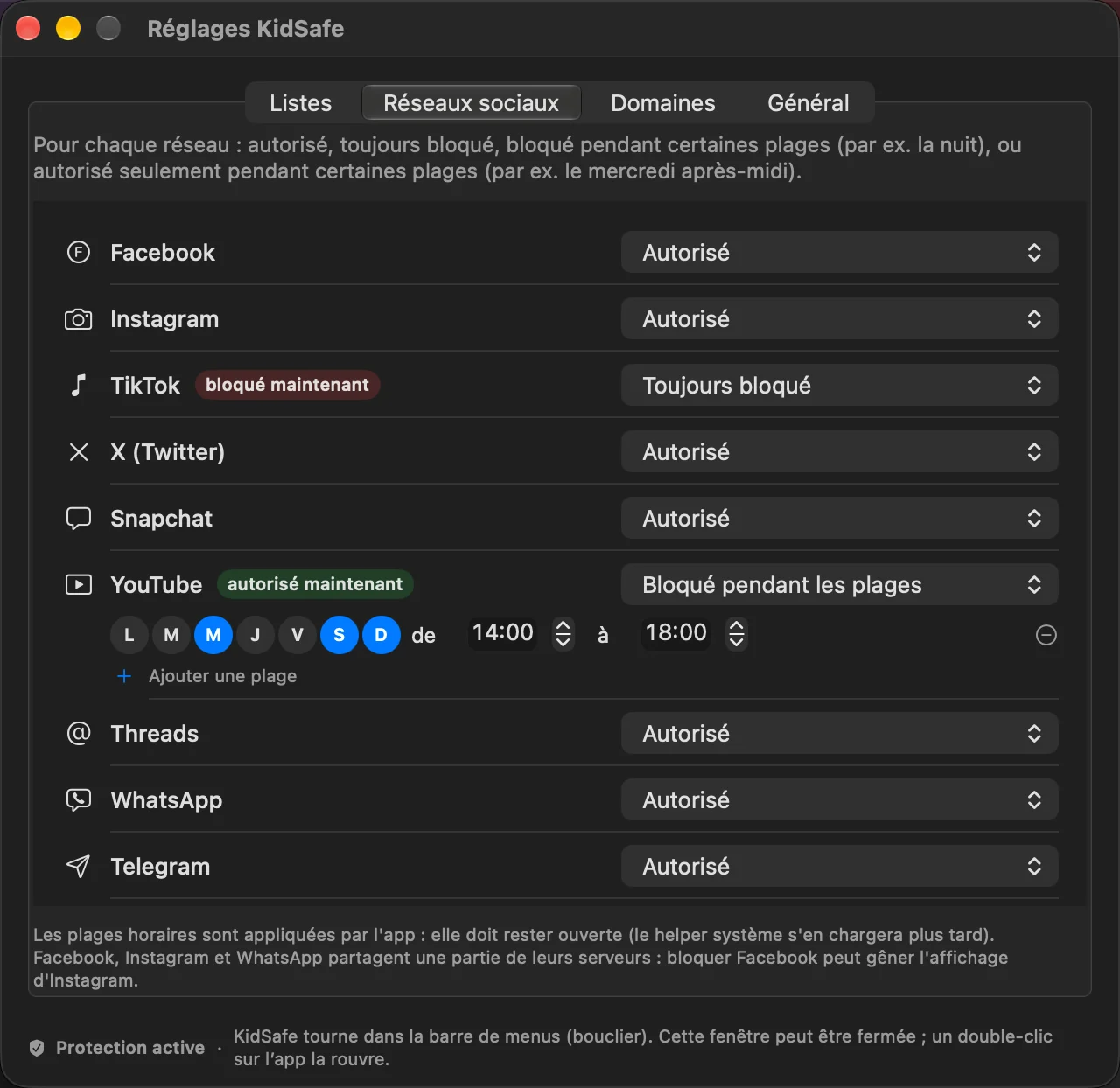
Facebook, Instagram, TikTok, YouTube, Discord… Allowed, always blocked, or blocked at certain times.
Everything is blocked except the allowlist. For young children.
Monitor and statistics
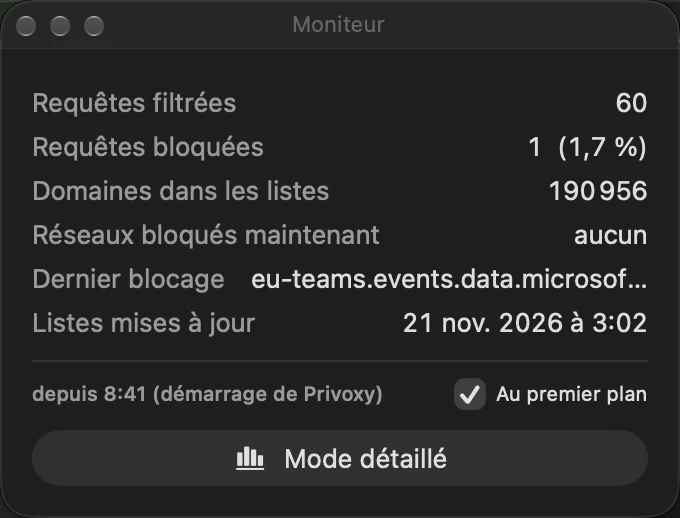
From the shield menu, Monitor opens a small floating window with live counters: requests filtered, requests blocked and their percentage, the number of domains on the lists, the social networks blocked right now and the last blocked site.
The window can stay on top of the other windows, so you can follow what happens while the Mac is in use.
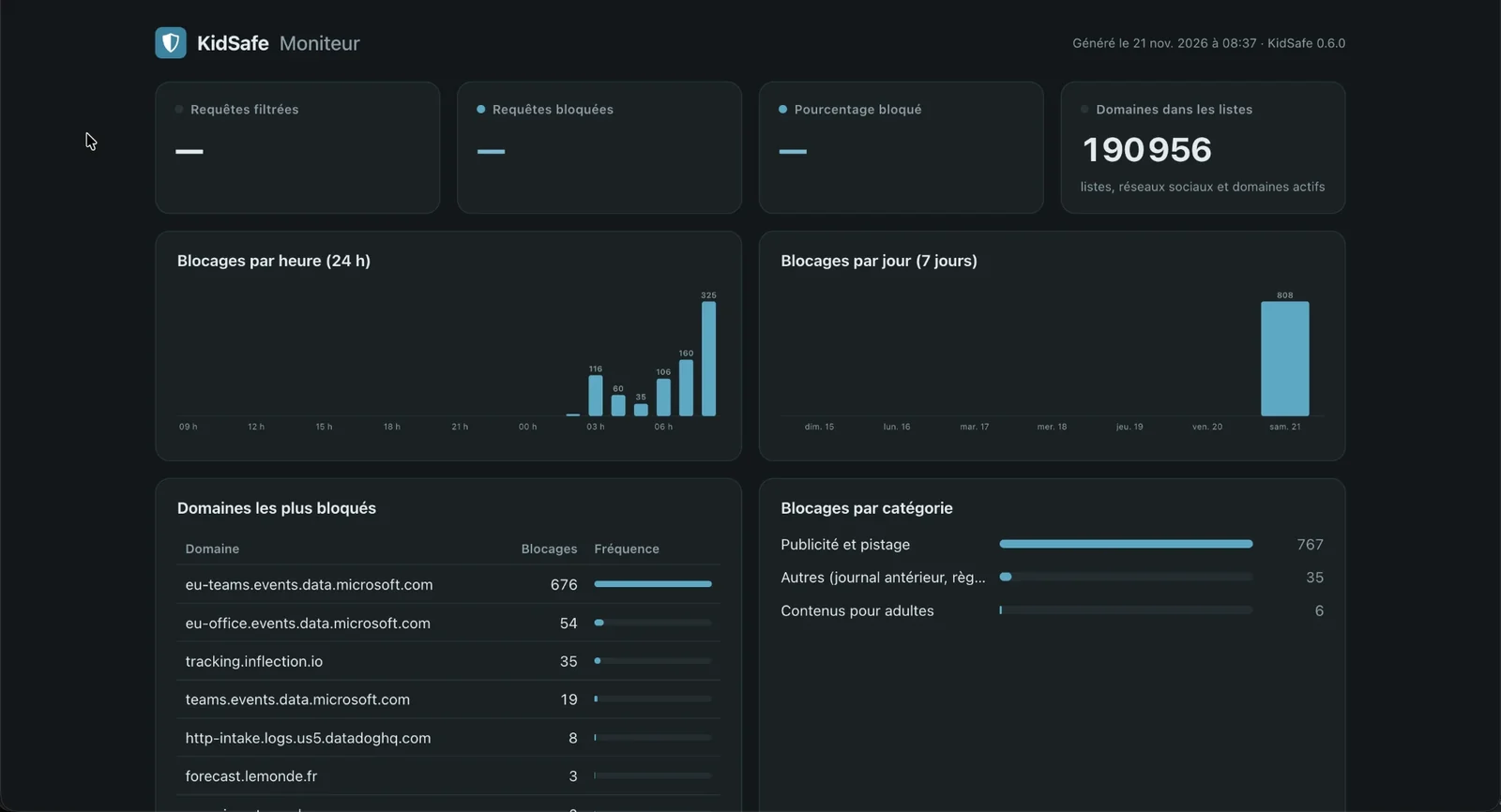
A detailed view opens a local page with charts: blocks per hour and per day, the most blocked domains and blocks by category. Everything stays on the Mac, nothing is sent anywhere, and nothing runs while the monitor is closed.
Advanced settings
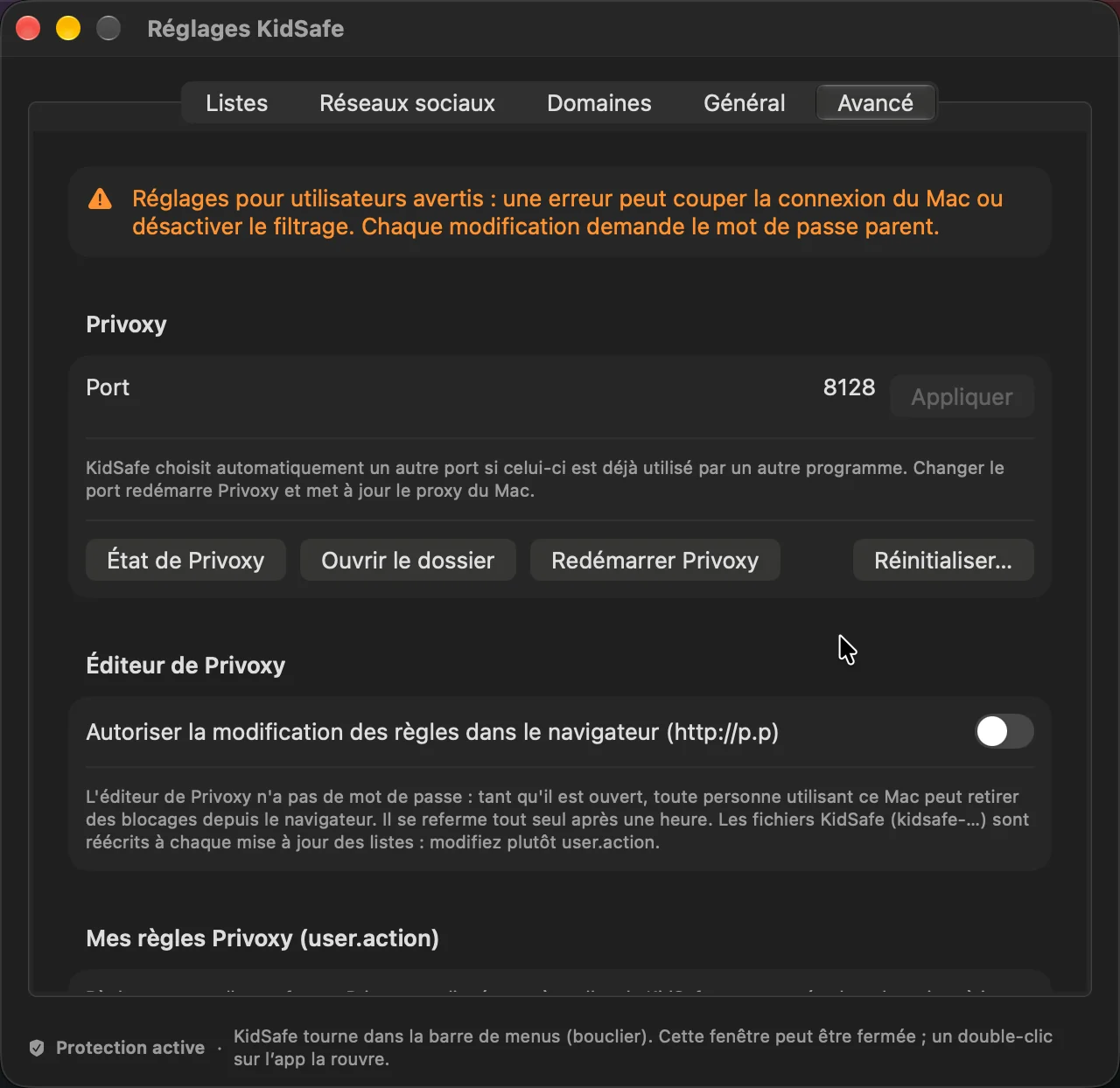
For experienced users, an Advanced tab gives access to Privoxy itself. A warning reminds you that a mistake can cut the connection of the Mac, and every change asks for the parent password.
- Port: chosen automatically if 8128 is already used, or set by hand;
- Privoxy editor in the browser (http://p.p), which closes by itself after one hour;
- Your own Privoxy rules (user.action), checked before they are applied;
- a log of blocked sites, domains that skip the filter, and buttons to restart or reset Privoxy.
If Privoxy stops, KidSafe restarts it, or removes the proxy if it cannot. The Mac never loses its connection.
User guide
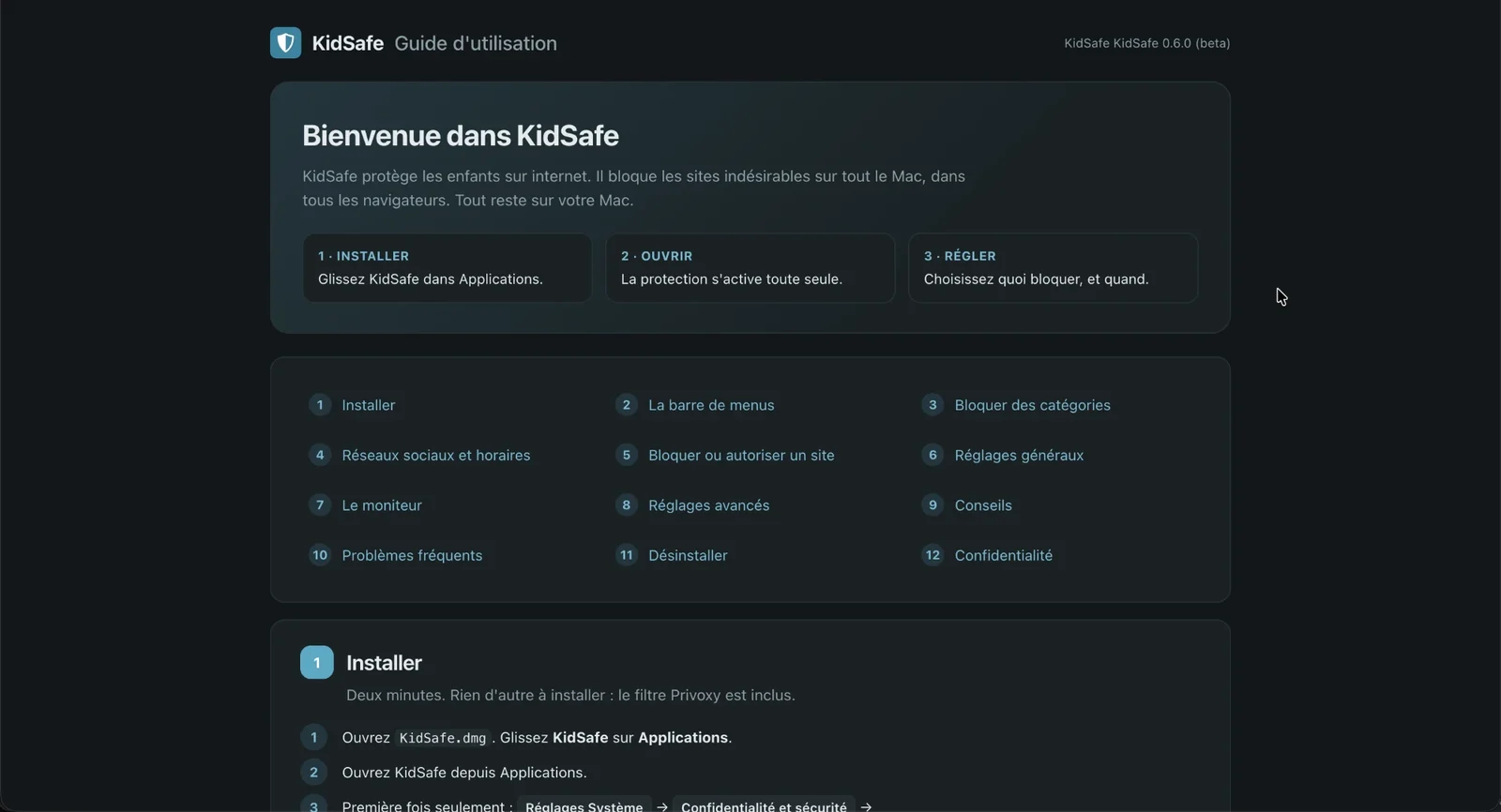
The app comes with a complete user guide, in English and French. It opens from the app and works without internet. In twelve short chapters, it explains how to install KidSafe, block categories and sites, set time slots for social networks, read the monitor, solve common problems and uninstall the app.
A free app
This project takes me time. If you like it, you can support it with a small donation. But KidSafe is built on open-source tools, like Privoxy and the block lists, developed and shared for free by real developers. For this reason, this app will always stay free.