Welcome to KidSafe
KidSafe keeps children safer online. It blocks unwanted websites on the whole Mac, in every browser. Everything stays on your Mac.
Install
Two minutes. Nothing else to install: the Privoxy filter is included.
- Open
KidSafe.dmg. Drag KidSafe onto Applications. - Open KidSafe from Applications.
- macOS asks to confirm: click Open. KidSafe is signed and checked by Apple.
- Done. A green shield appears at the top right of the screen.
The menu bar
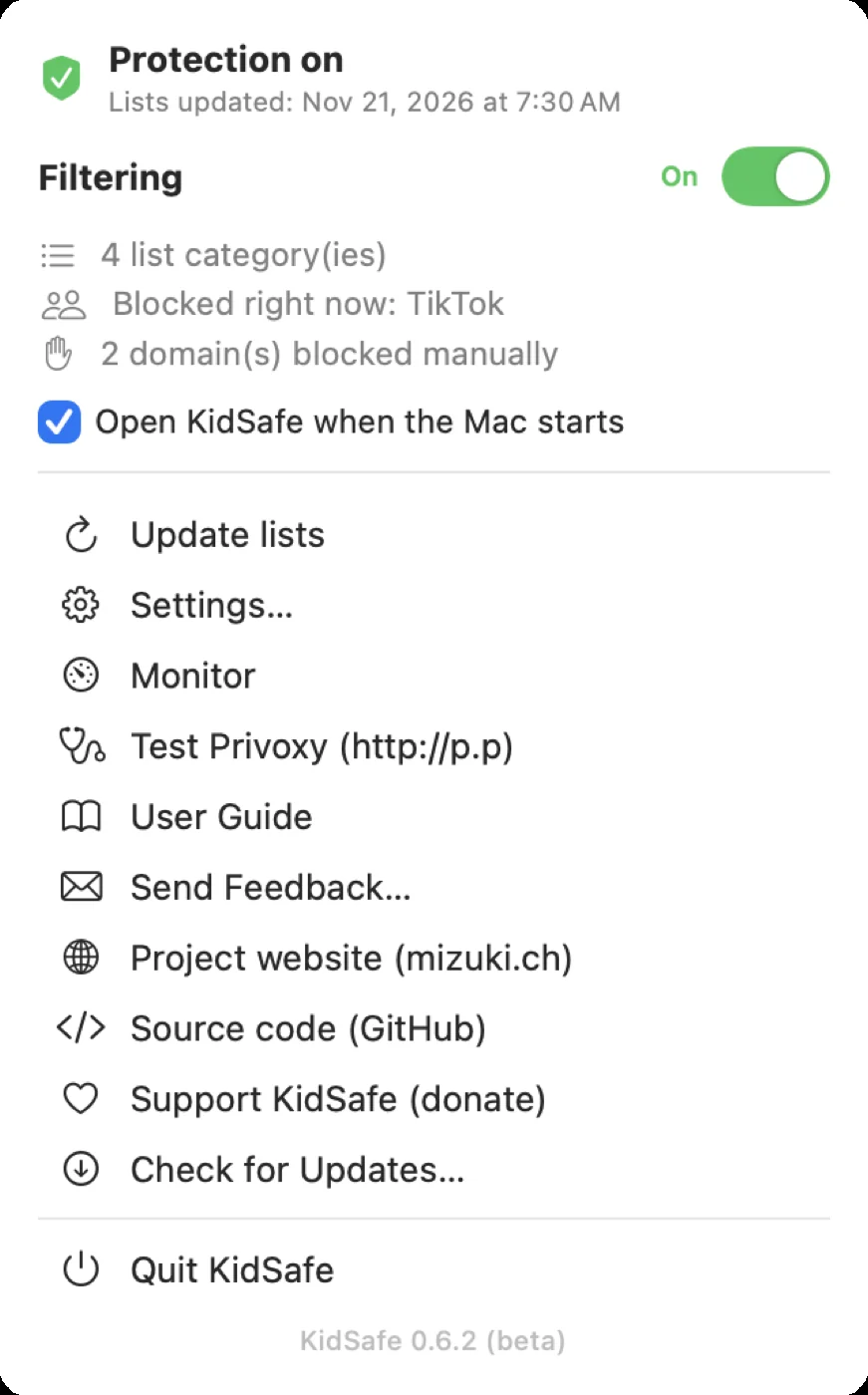
Everything starts from the shield, at the top right of the screen.
Status
- Green: protection on.
- Orange: protection incomplete. The reason shows, with a button to fix it.
Filtering
The switch pauses filtering. Nothing is deleted. One click resumes it.
Shortcuts
- Update lists
- Settings, monitor, this guide
- Test Privoxy: checks the browser goes through the filter
- Send feedback, donate, quit
Block categories
Lists tab. Tick a box, it applies within seconds.
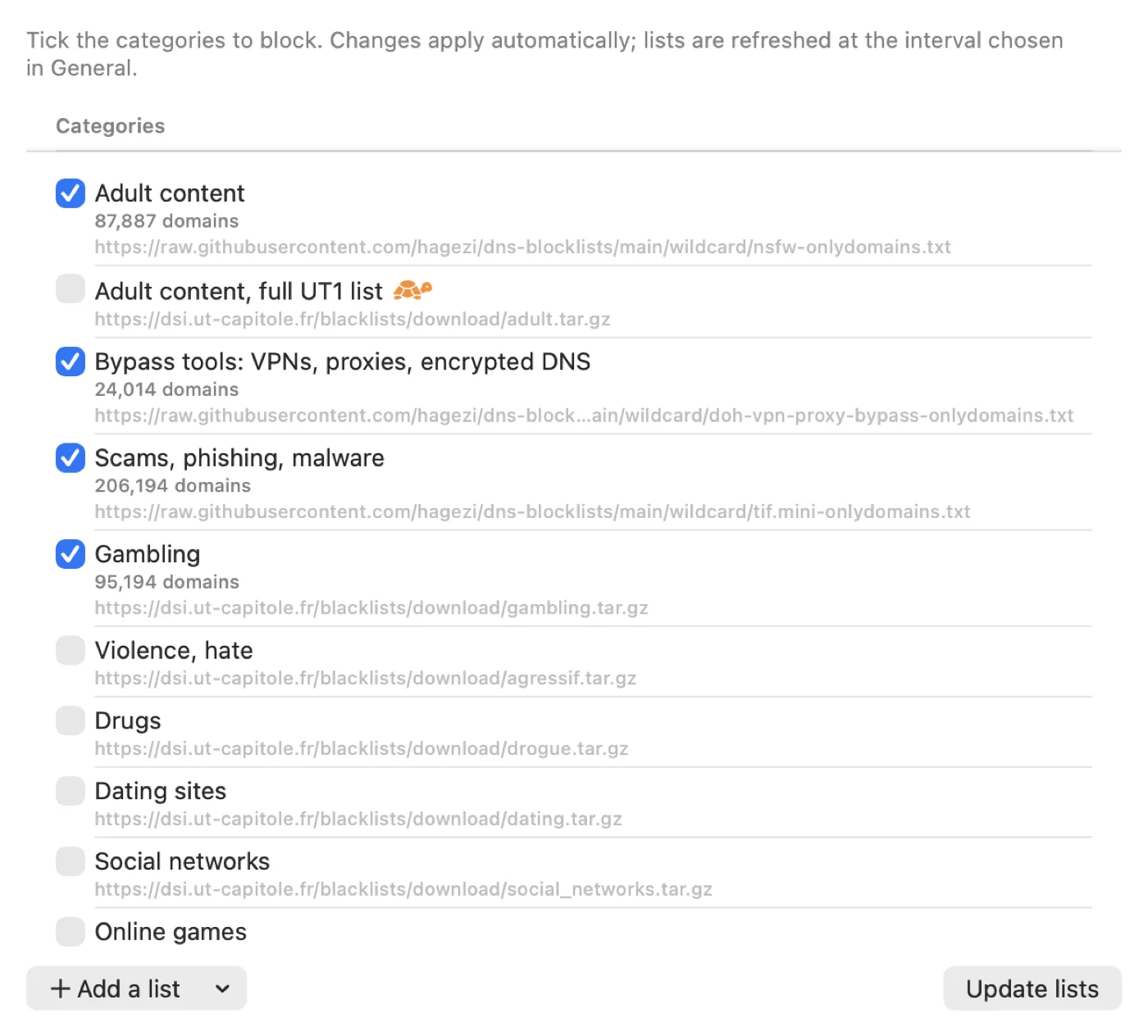
- Categories: adult, bypass tools (VPNs, proxies), scams, gambling, violence, drugs, dating, social networks, online games, ads.
- 🐢 Tortoise: very large list. It may slow browsing.
- Add a list: free lists, a web address or a file on your Mac.
example.com also blocks www.example.com and all its subdomains.Block or allow a site
Domains tab. Two columns.
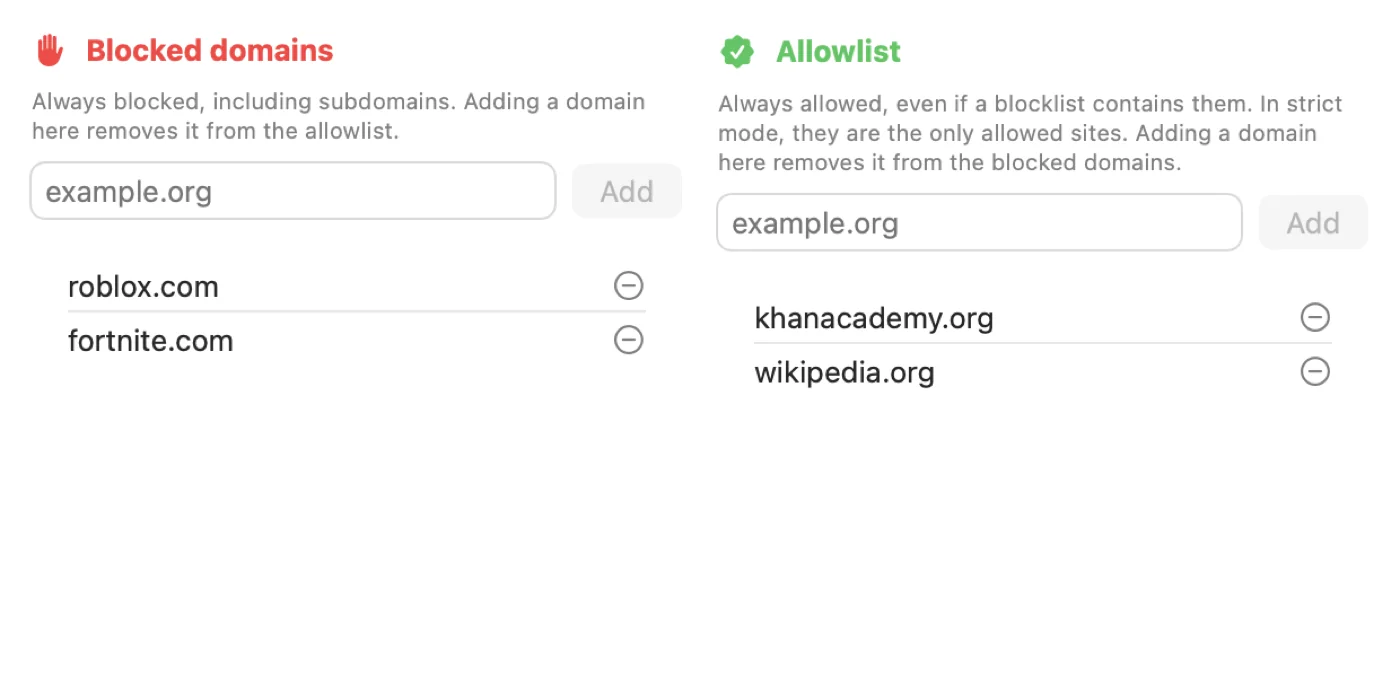
- Blocked domains: blocked at all times.
- Allowlist: always allowed, even if a list contains them. Ideal to unblock a site blocked by mistake.
Paste a full address: KidSafe keeps only the domain.
General settings
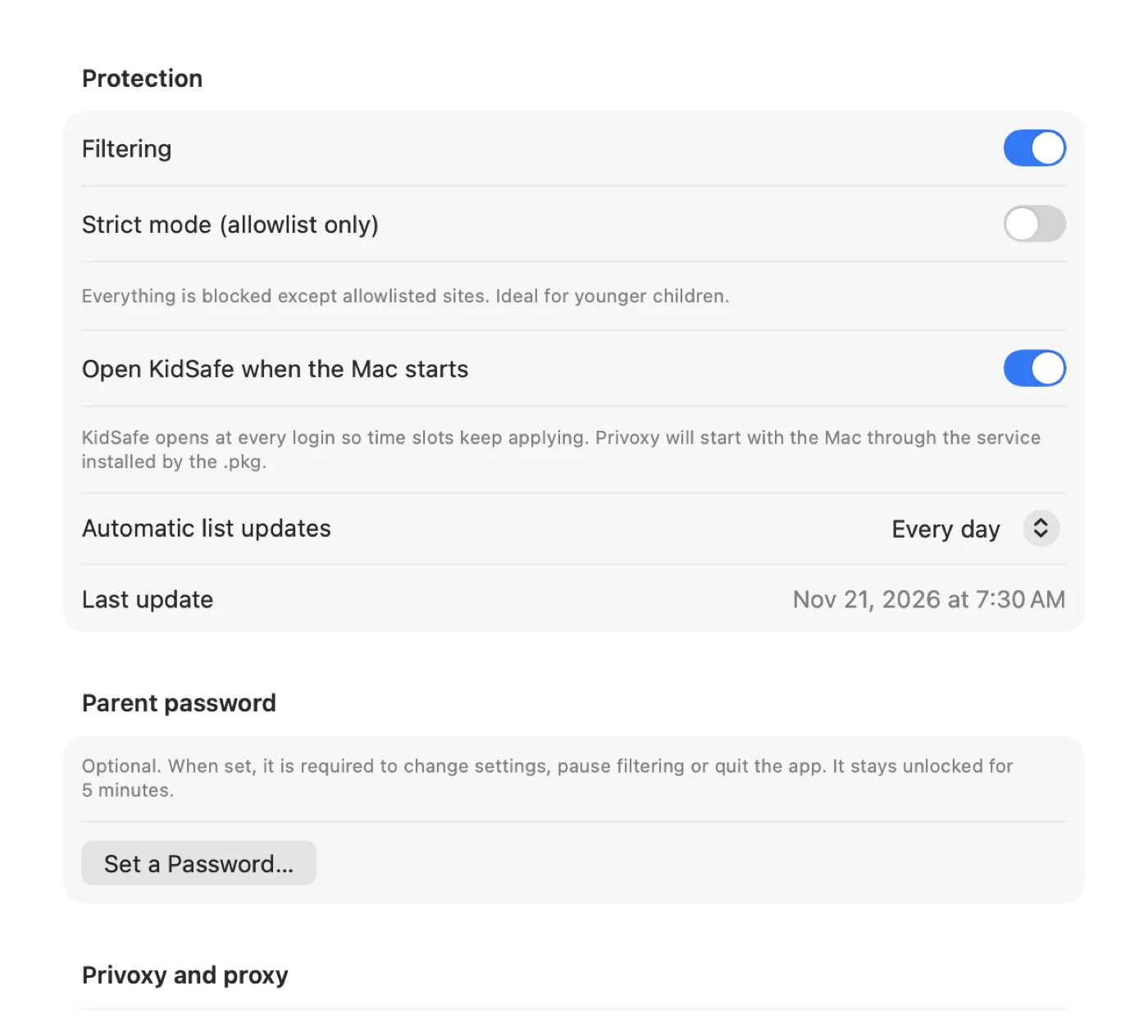
General tab.
- Strict mode
- Everything blocked, except the allowlist. For younger children.
- List updates
- From never to every week. Default: every day.
- Parent password
- Protects settings, pausing and Quit.
- Language
- System, Français or English.
KidSafe updates
KidSafe checks for new versions every week. It can install them by itself: download, check, relaunch. Your settings stay.
The monitor
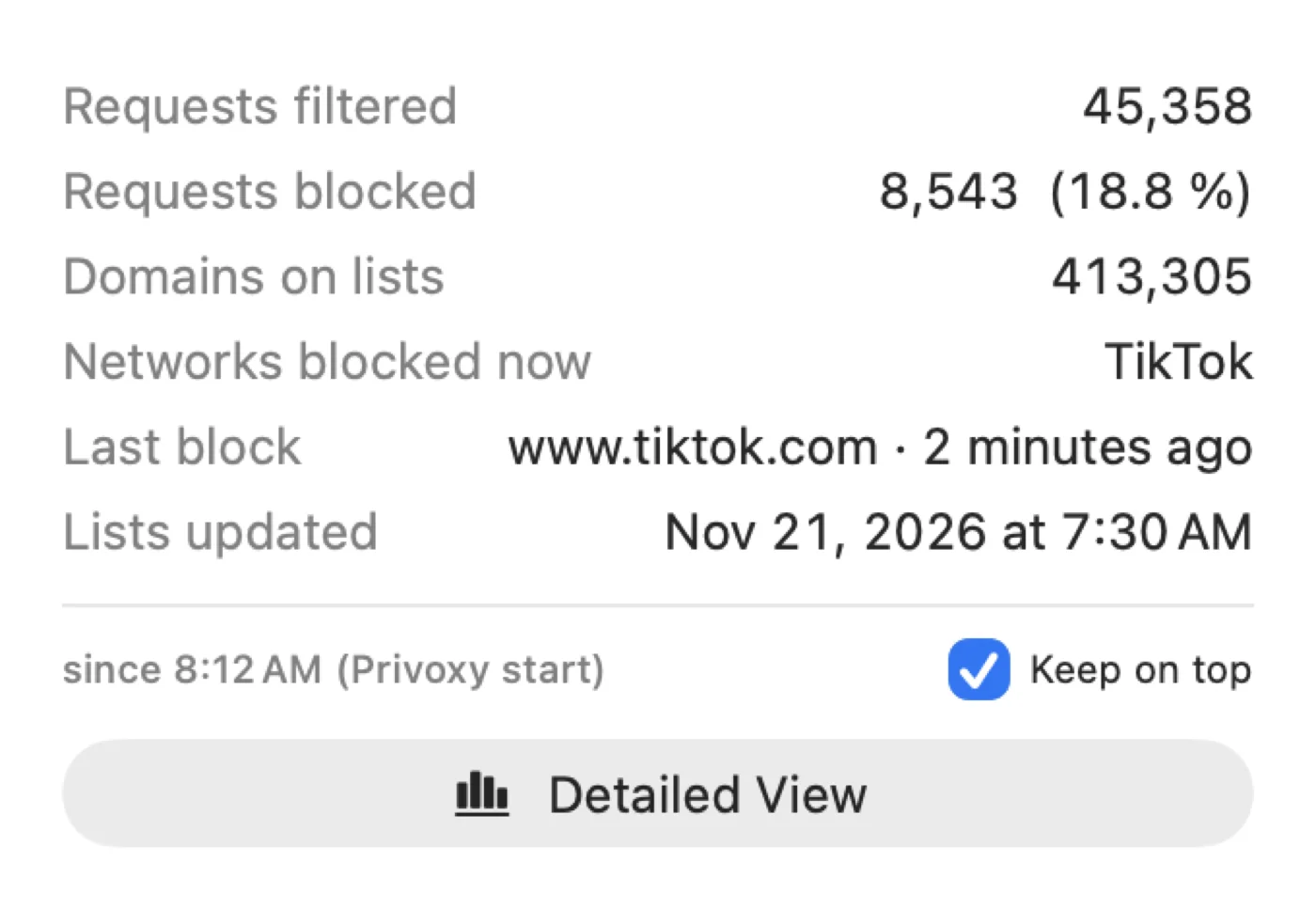
Menu → Monitor. A small window with key figures.
- Requests filtered and blocked
- Domains on lists
- Networks blocked now
- Last block
Counters restart from zero when Privoxy restarts.
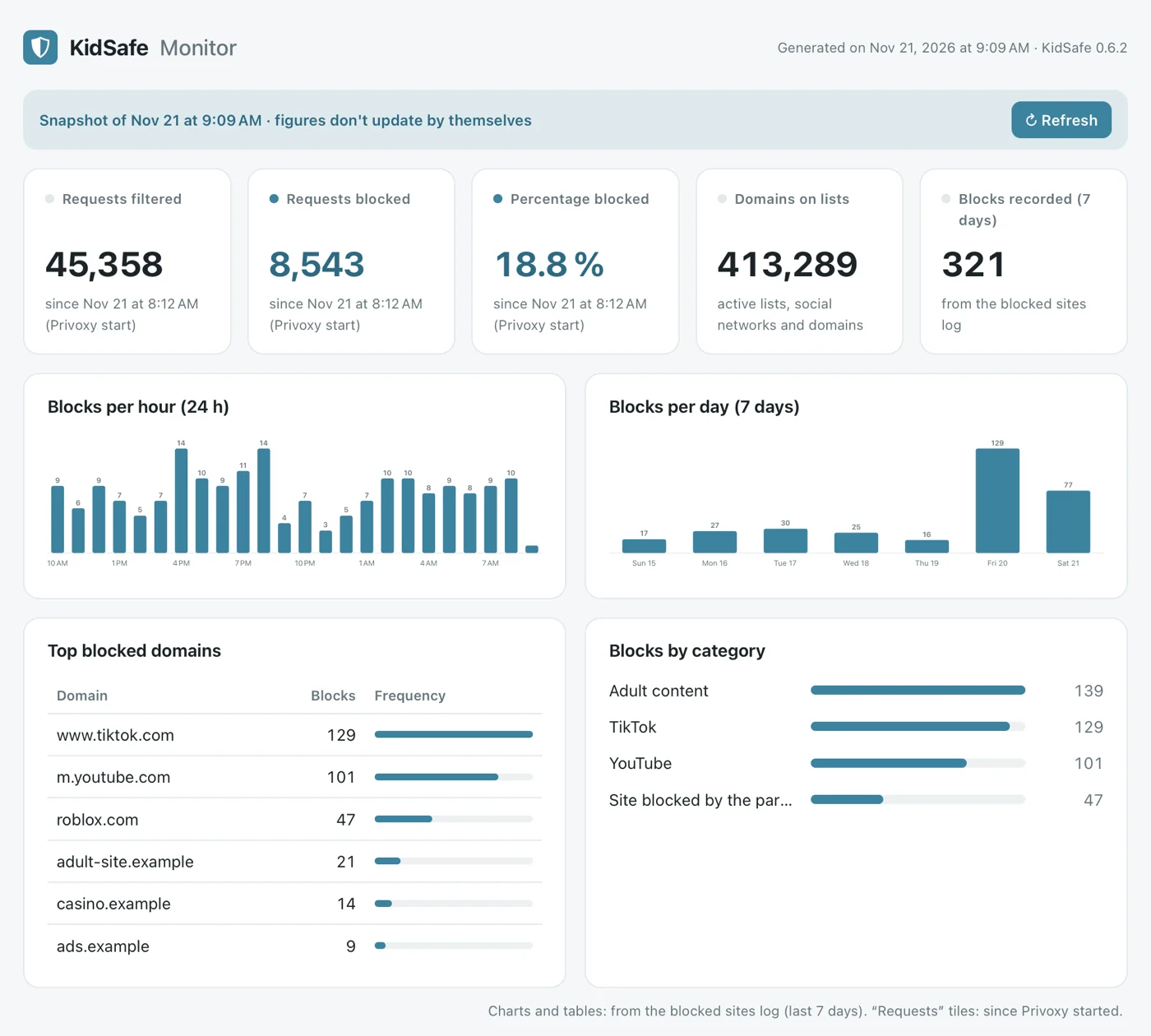
Detailed view
A local page with charts and tables: blocks per hour and per day, top blocked sites, categories.
Advanced settings
Advanced tab. For experienced users. Parent password required.
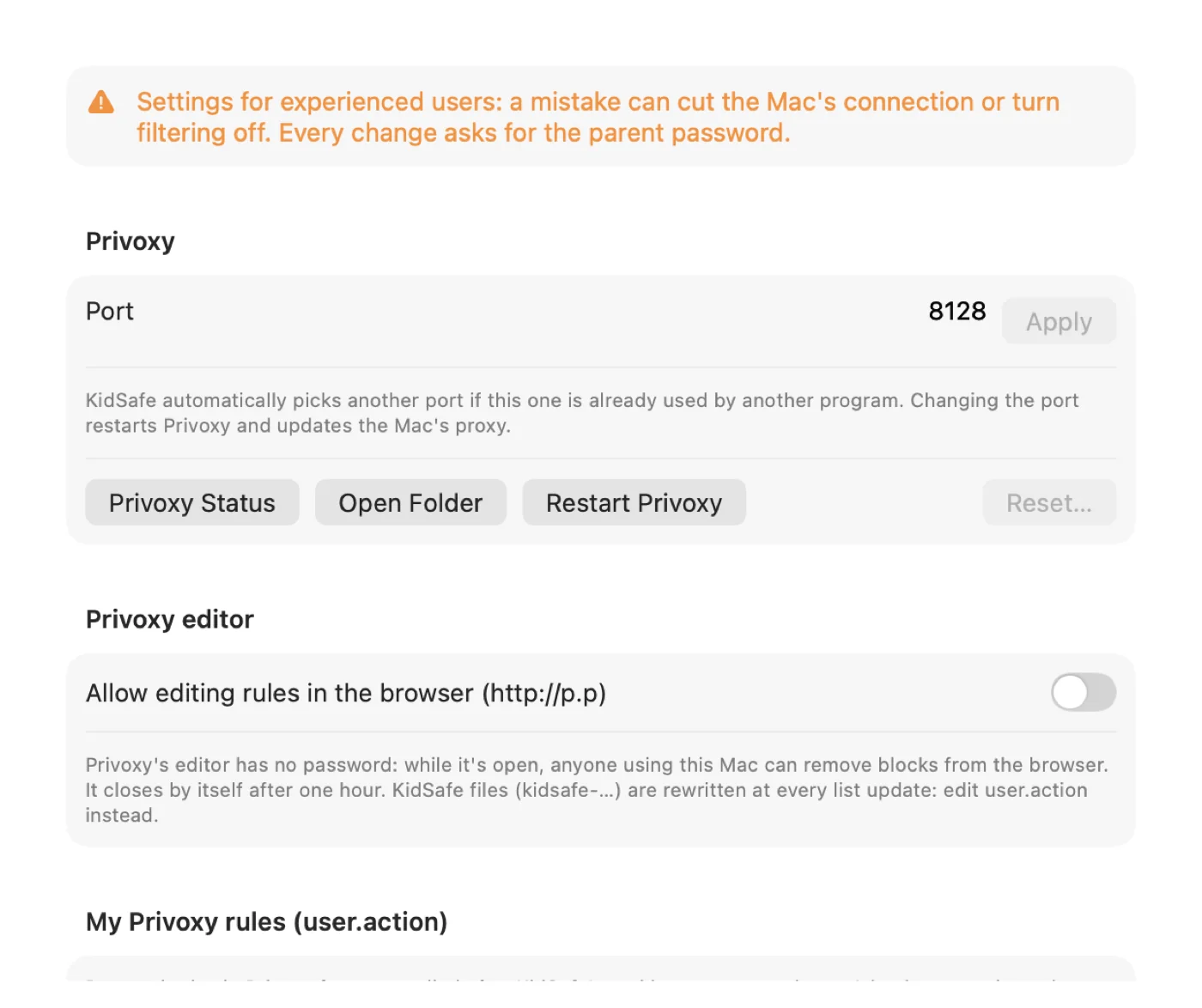
- Port
- Picked automatically if busy. Can be changed by hand.
- Privoxy editor
- Edit rules in the browser. Closes by itself after 1 hour.
- user.action
- Your Privoxy rules. Checked before being applied.
- Log
- Records blocked sites. Open in Console, clear.
- Exclusions
- Domains that skip the filter (company VPN…).
- Troubleshooting
- Status, folder, restart or reset Privoxy.
Tips
For solid protection.
- A standard macOS account for the child, not administrator.
- A parent password.
- Open at startup turned on.
- Bypass tools category ticked: it blocks VPNs and proxies.
- Firefox: keep Use system proxy settings.
Common problems
Uninstall
Two ways, same result.
- On the
.dmg: double-click Uninstall KidSafe. - In the app: General → Uninstall KidSafe…
The filter is removed, settings deleted, the app moved to the Trash.
Privacy
Your data stays on your Mac.
- No personal data is sent.
- Connections: downloading lists and checking GitHub for updates.
- Log and monitor: on this Mac only.
KidSafe is free software (GPL v3). Questions and ideas: Send Feedback… or GitHub. Project: mizuki.ch.
Social networks and schedules
Social networks tab. One setting per network: TikTok, Instagram, YouTube, Snapchat…
The badge shows the current state: blocked now or allowed now. When a slot starts, open tabs are cut.